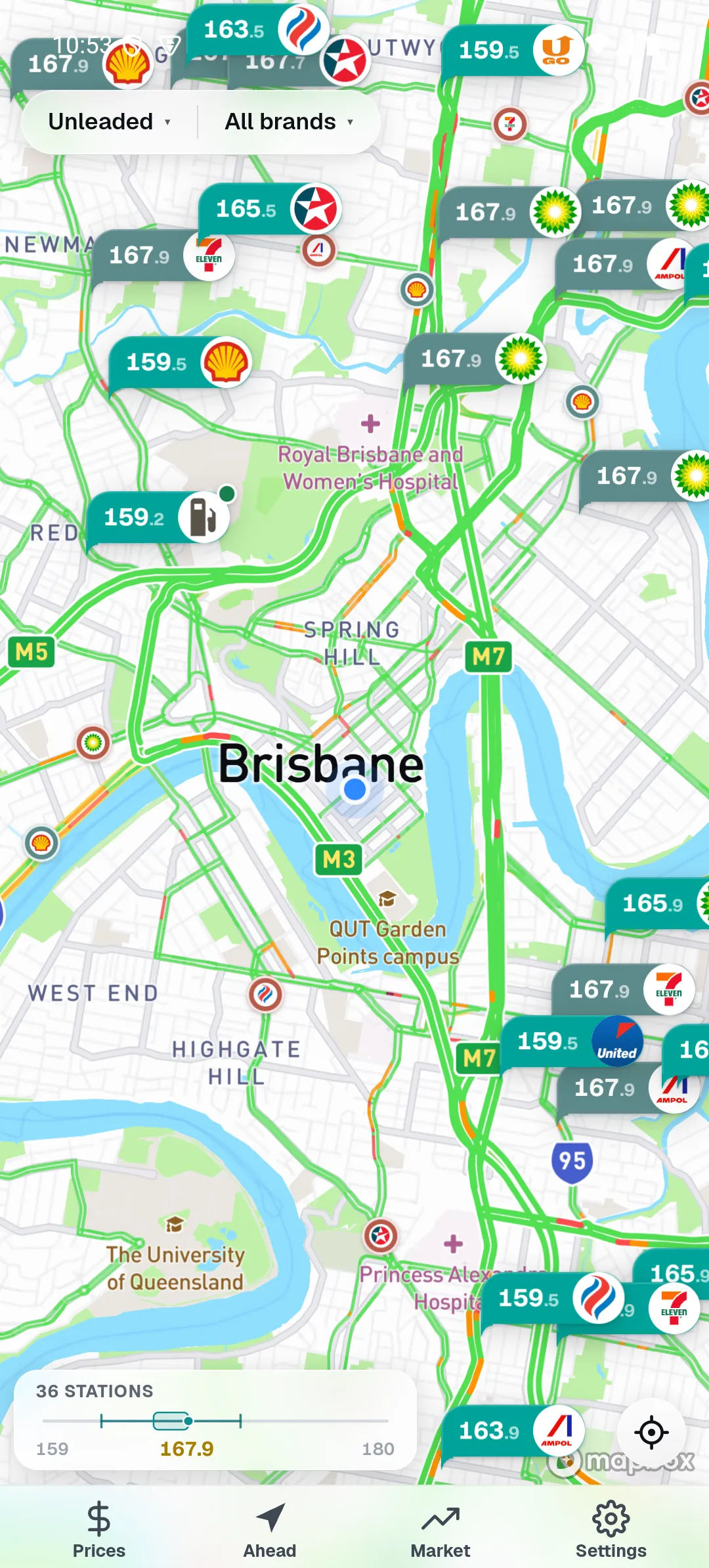
Straight to the prices
Open the map and the live prices are right there — clean and quick, nothing in the way.
Pinly Fill puts live prices from the official Queensland government fuel feed on a clean map — so you find the cheapest pump nearby and see exactly what you save. Ready the moment you open it.
Installs to your home screen in seconds — no app store needed. iOS & Android apps coming soon.
Open the map and the live prices are right there — clean and quick, nothing in the way.
Nothing to set up and nothing to join. It just opens and works.
Pinly does one job — helping you pay less for fuel — and keeps your business to yourself.
Live from the official Queensland fuel feed, kept fresh through the day.
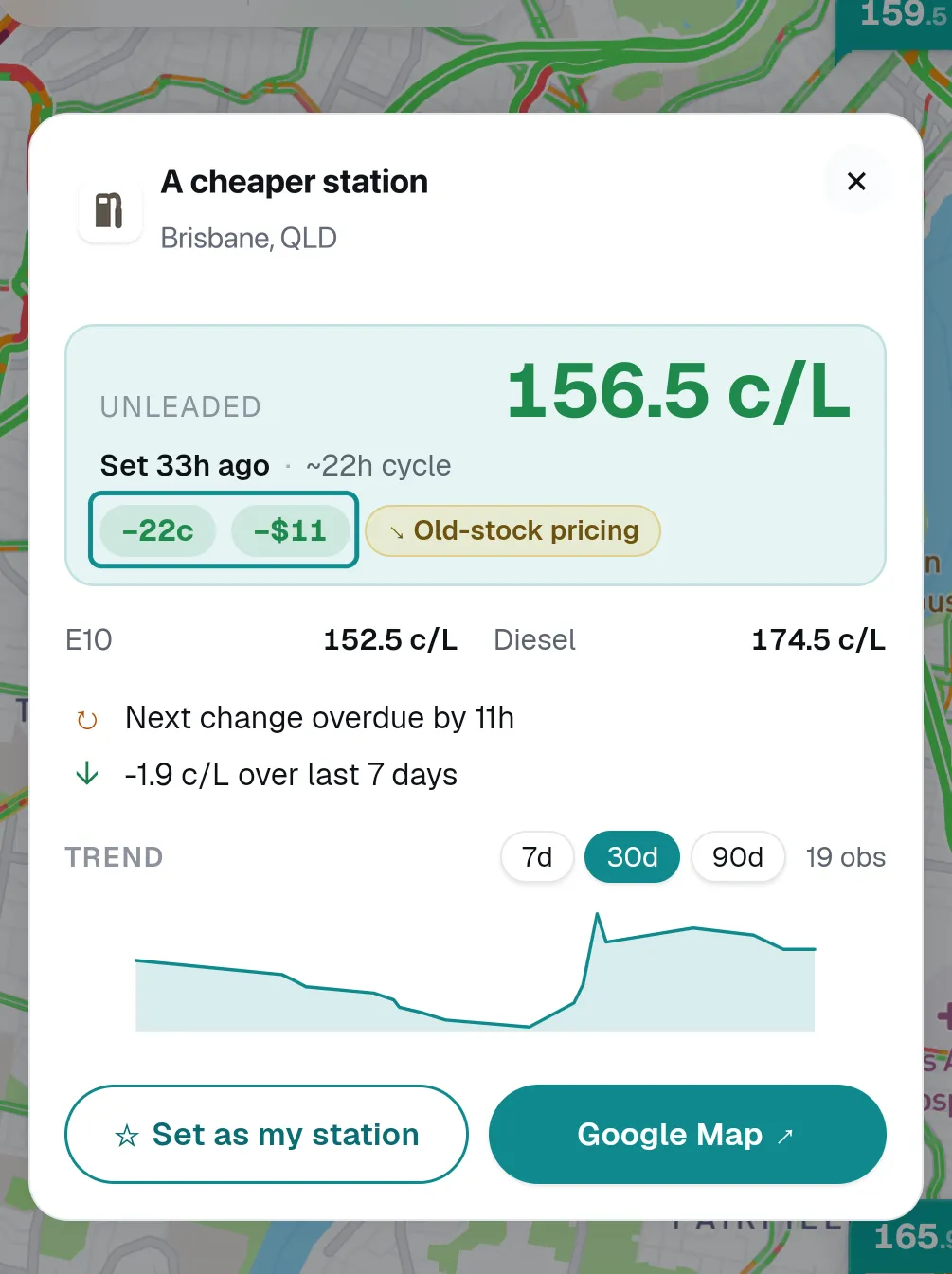
Save the station you usually fill at, and every other price shows the difference against it — like the minus-22c, minus-$11 shown here on a 50-litre fill, with the full tank total underneath. You are not doing sums in your head at the bowser; the app has already done them, and it shows its working, including how long ago the price was reported.
Based on a 50-litre fill; your saving depends on your tank and the price on the day. Diesel works the same — and bigger diesel tanks save the most.
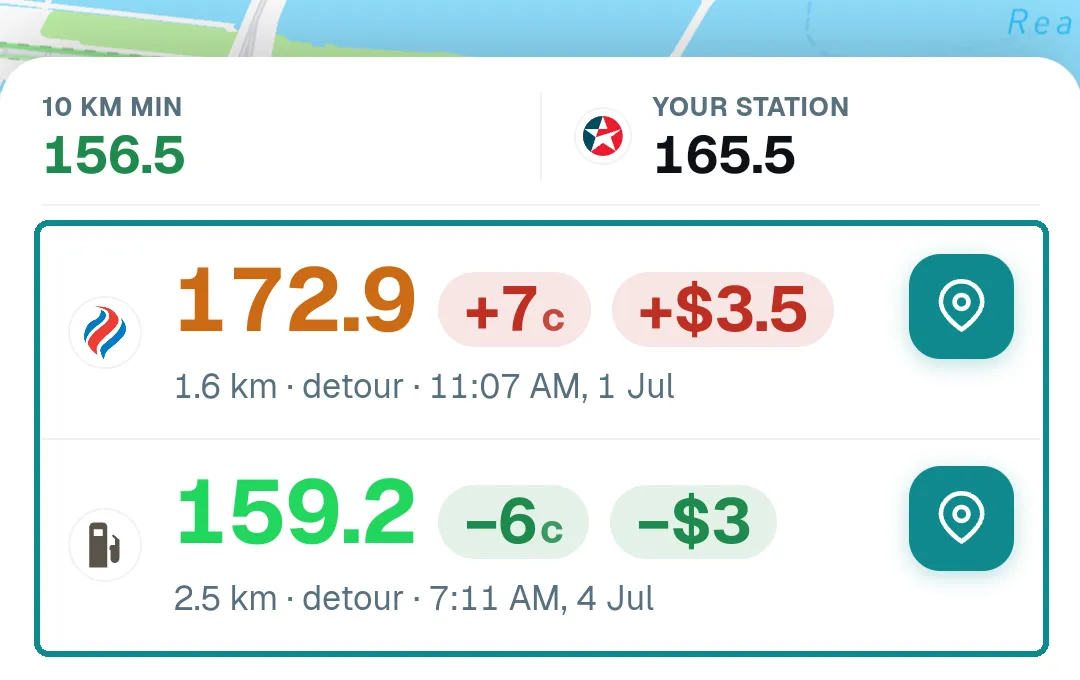
Ahead compares the cheaper stations coming up against the one you would have used, and puts the saving and the detour side by side. The pick 2.5 km on is minus-6c, about $3 back on a 50-litre fill; the one 1.6 km on is plus-7c, so it shows plus-$3.5 and you keep driving. On a bigger tank the same few cents a litre is more dollars — so the saving scales with the car you drive, and with how often you fill.
Roughly what a cheaper pump is worth for the car you drive — per fill, and over a year.
| Your car | 10c/L | 15c/L | 20c/L |
|---|---|---|---|
| Small hatch ~45 L | $4.50 | $6.75 | $9 |
| Sedan or SUV ~60 L | $6 | $9 | $12 |
| Ute or large SUV ~80 L | $8 | $12 | $16 |
| Big 4WD ~110 L | $11 | $16.50 | $22 |
| Your car | Fortnightly | Weekly | Twice a week |
|---|---|---|---|
| Small hatch ~45 L | ~$175 | ~$350 | ~$700 |
| Sedan or SUV ~60 L | ~$235 | ~$470 | ~$935 |
| Ute or large SUV ~80 L | ~$310 | ~$625 | ~$1,250 |
| Big 4WD ~110 L | ~$430 | ~$860 | ~$1,720 |
Rough figures — a guide, not a guarantee. Gaps of 10 to 20c a litre between nearby Queensland stations are common; weekly is about 52 fills. Bigger diesel tanks save the most — the same few cents a litre is more dollars. Your real saving depends on where and when you fill.
Just the map, from the moment you open it.
It centres on where you are and shows live prices around you — ready straight away.
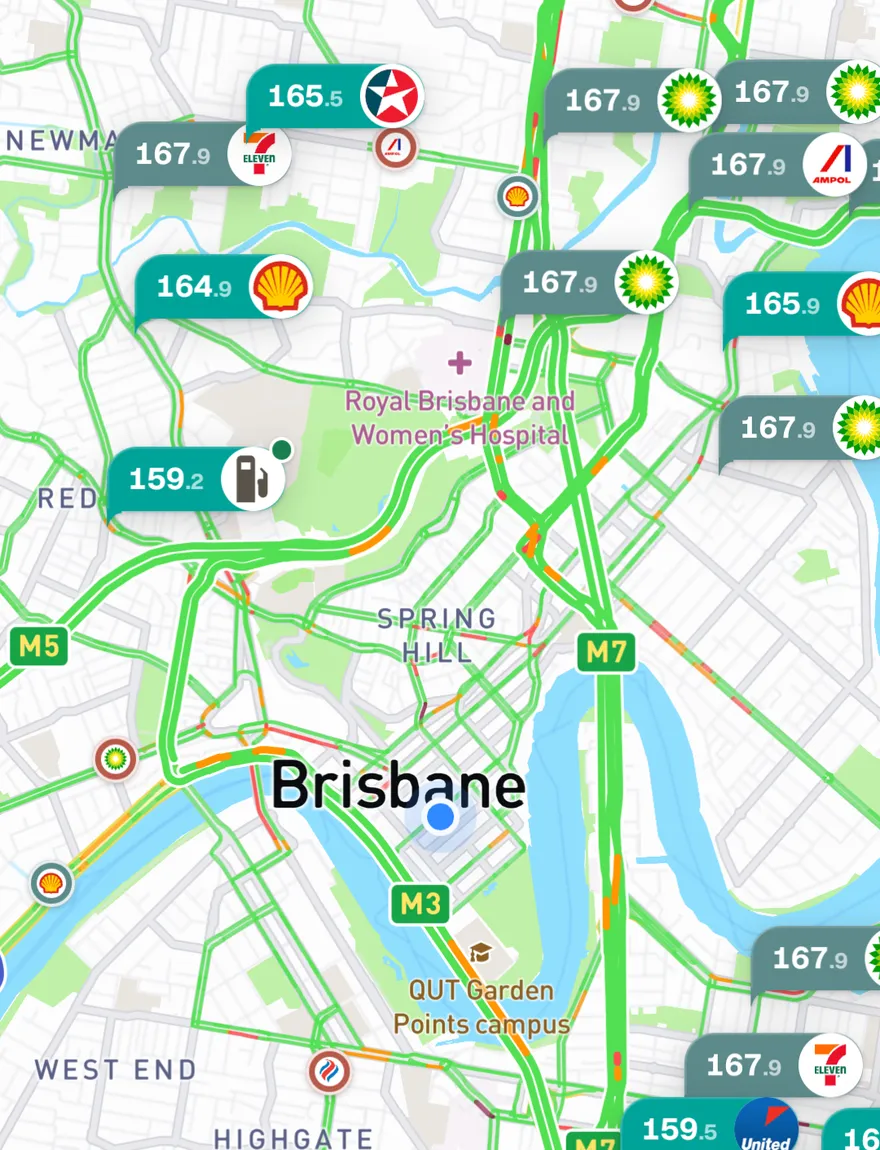
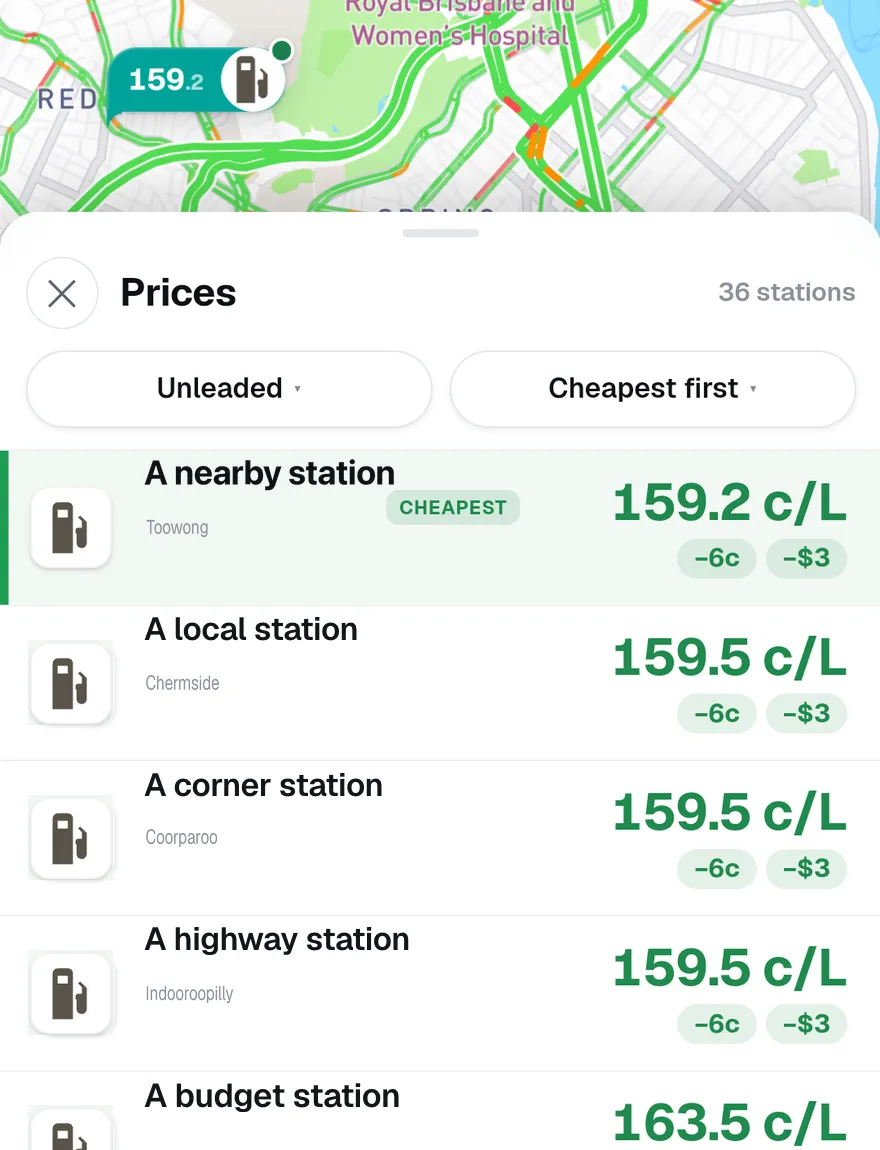
Open the Prices list to see every station ranked cheapest-first — the best price sits right at the top.
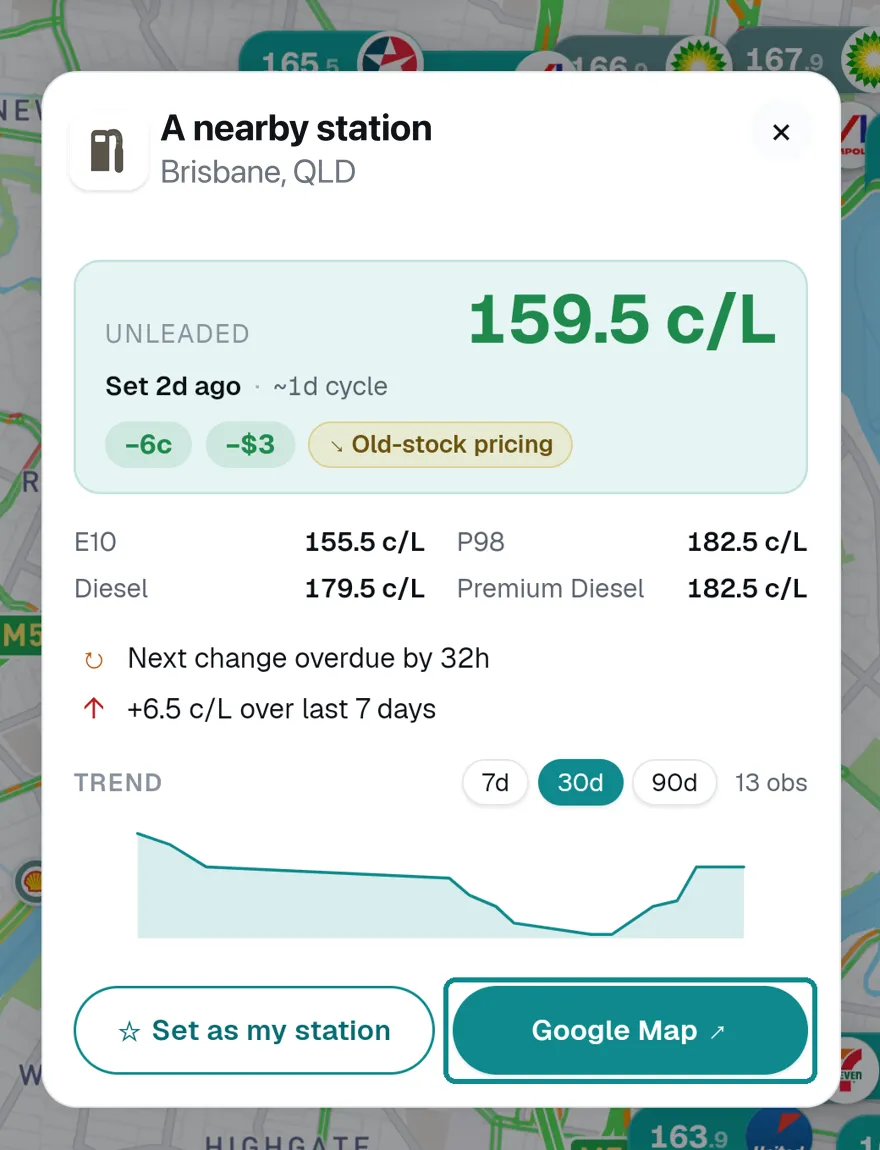
One tap opens your maps app with directions to the pump.
Every price is coloured by where it sits in the statewide range — not just your suburb. So a green price is genuinely cheap for all of Queensland, not "cheap for a dear area."
The five bands are live Queensland-wide quintiles — each holds a fifth of all stations, so the scale shifts as the whole market moves.
Small touches that help you fuel up smarter.
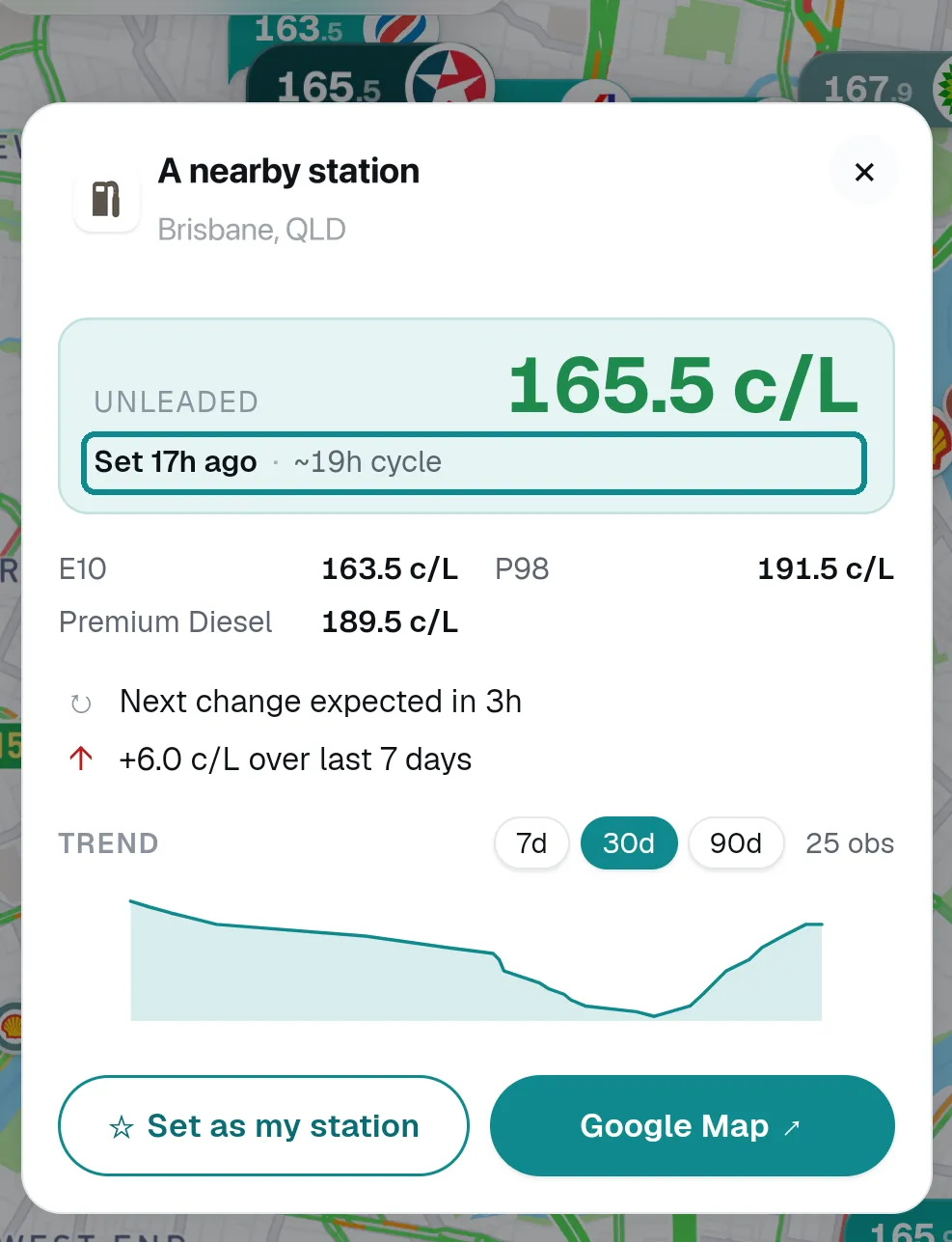
Every price shows how long ago it was reported. Old prices get flagged, not hidden — so you're never sent to a pump for a price that changed hours ago.
Tap any station and Pinly tells you where its price sits in its own recent range — so you can tell a genuine deal from a servo that's always dear.
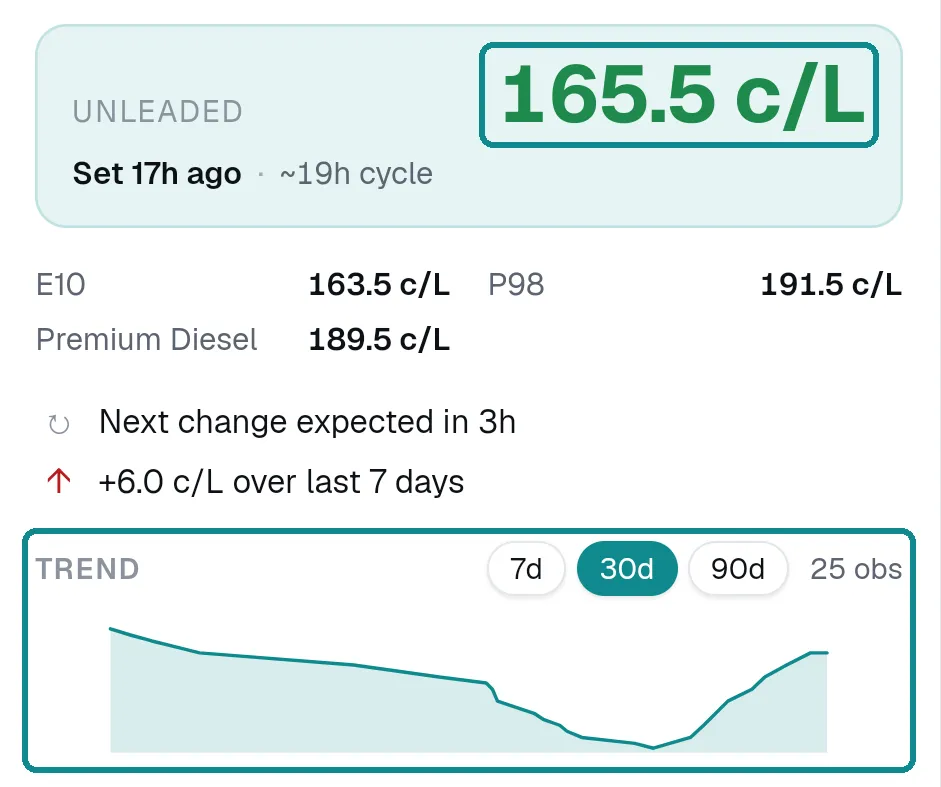
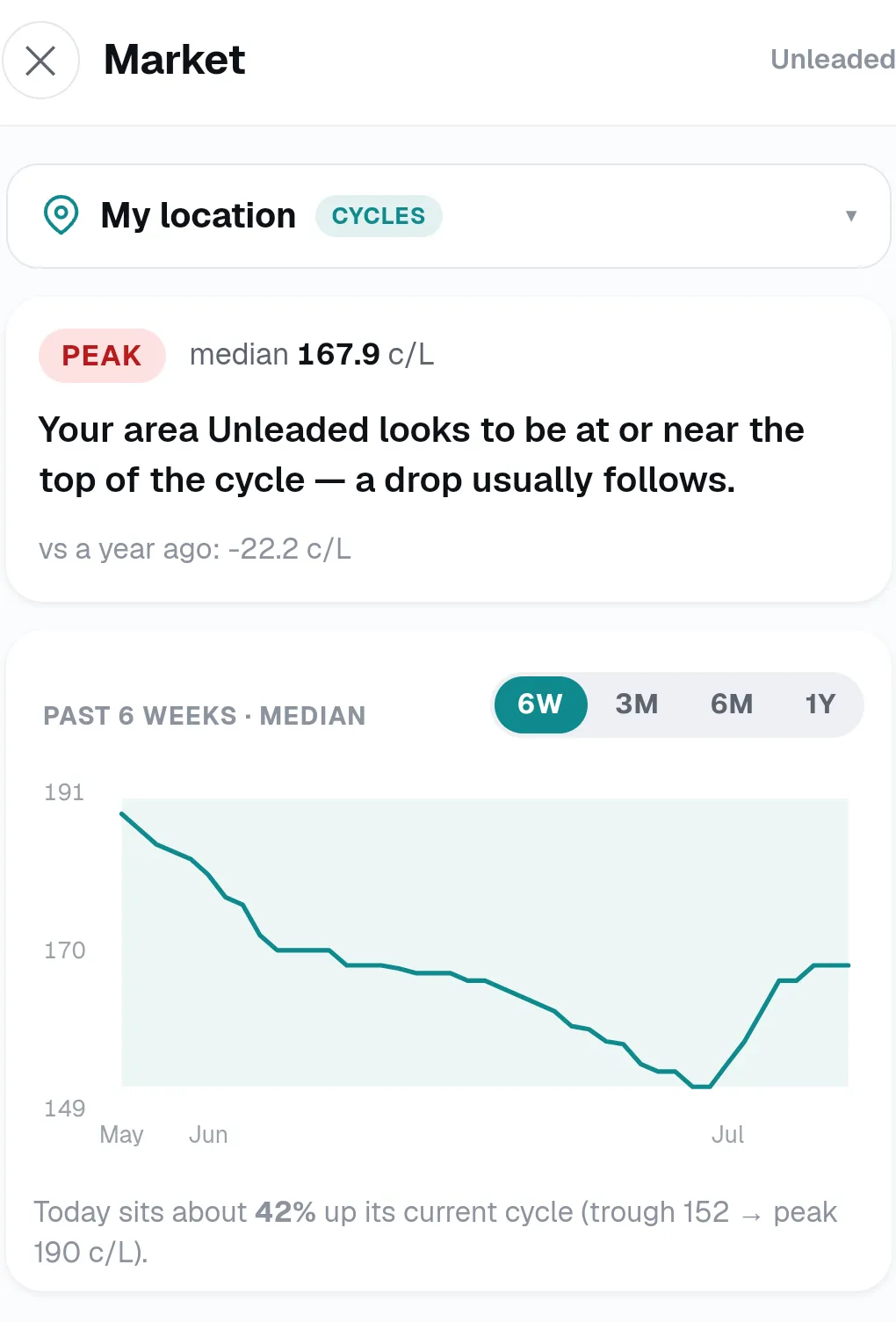
Fuel moves in cycles. The Market view shows where prices sit right now — near a trough or peaking — with the trend over the last 6 weeks to a year, so you can fill today or wait a day.
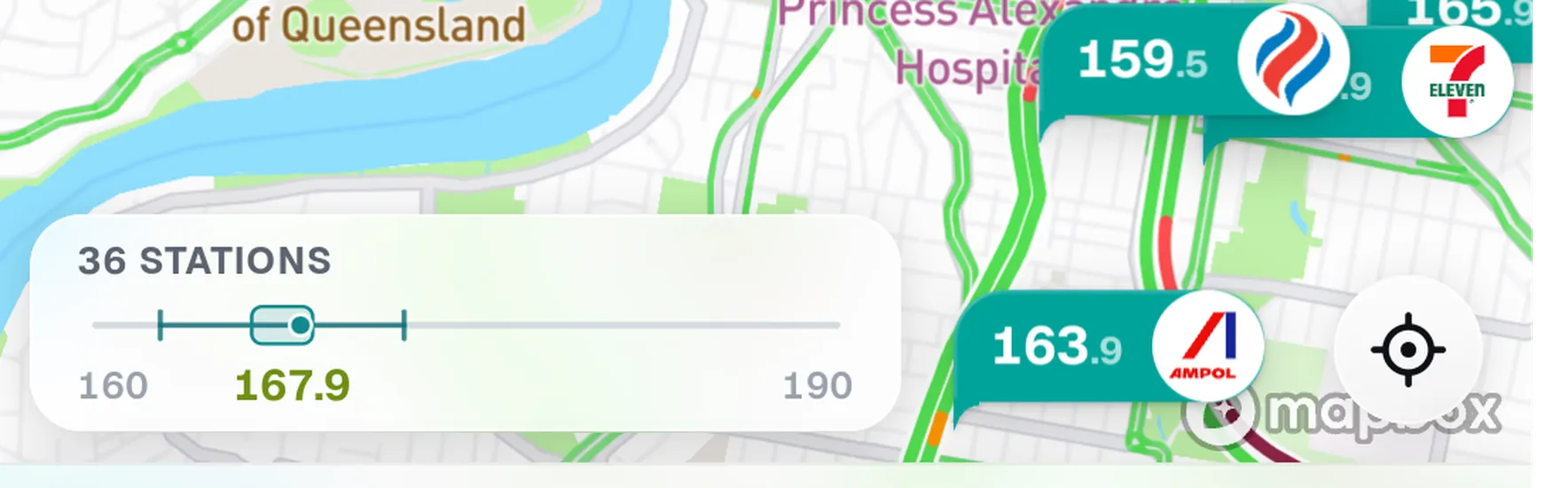
A little box-plot shows the cheapest, typical and dearest prices around you right now — so you can tell in a second whether it's worth shopping around, or they're all much the same.
Pick the station you fill at most, and from then on every other price is measured against it — cheaper or dearer, in cents and dollars — right on the card. One tap to set, and you never touch it again.
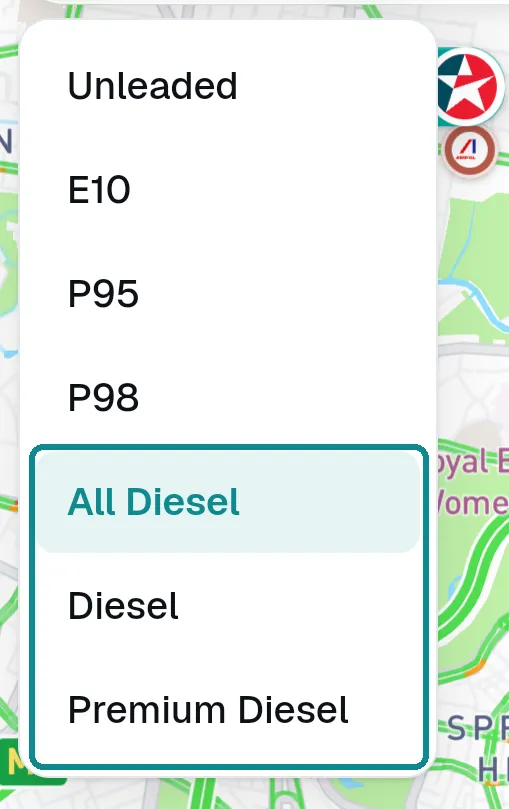
Servos list diesel under different names, so Pinly gives you three clear choices:
Ahead is Pinly's heading-up drive view. Here's the three taps from opening it to heading for a cheaper pump.
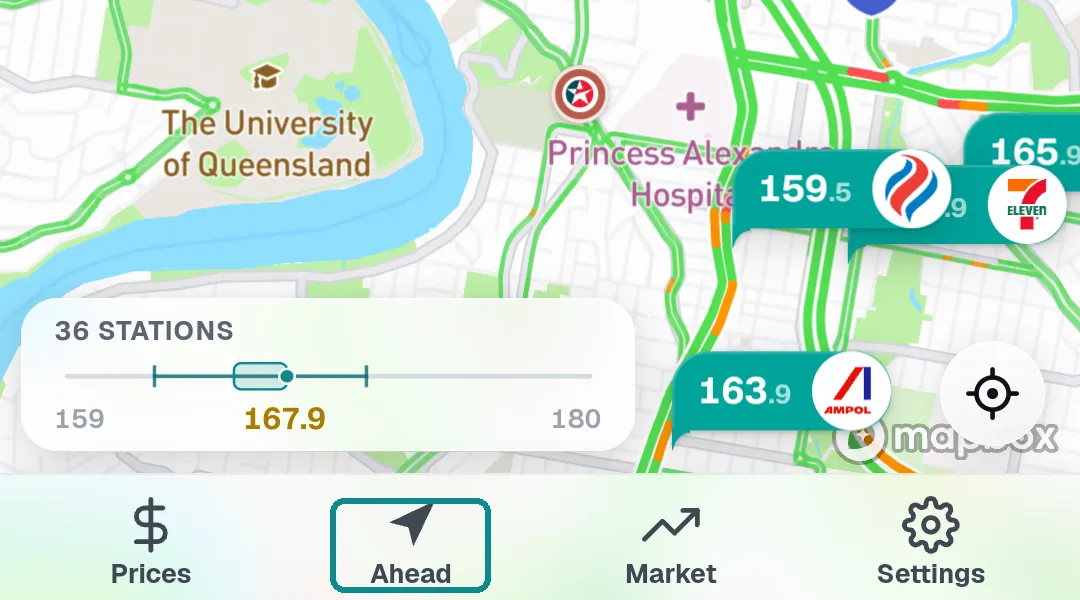
One tap drops you straight into the drive view — no setup, no menus.
The nearest price up top, then cheaper stations along your way — each showing how much you'd save against your saved station.
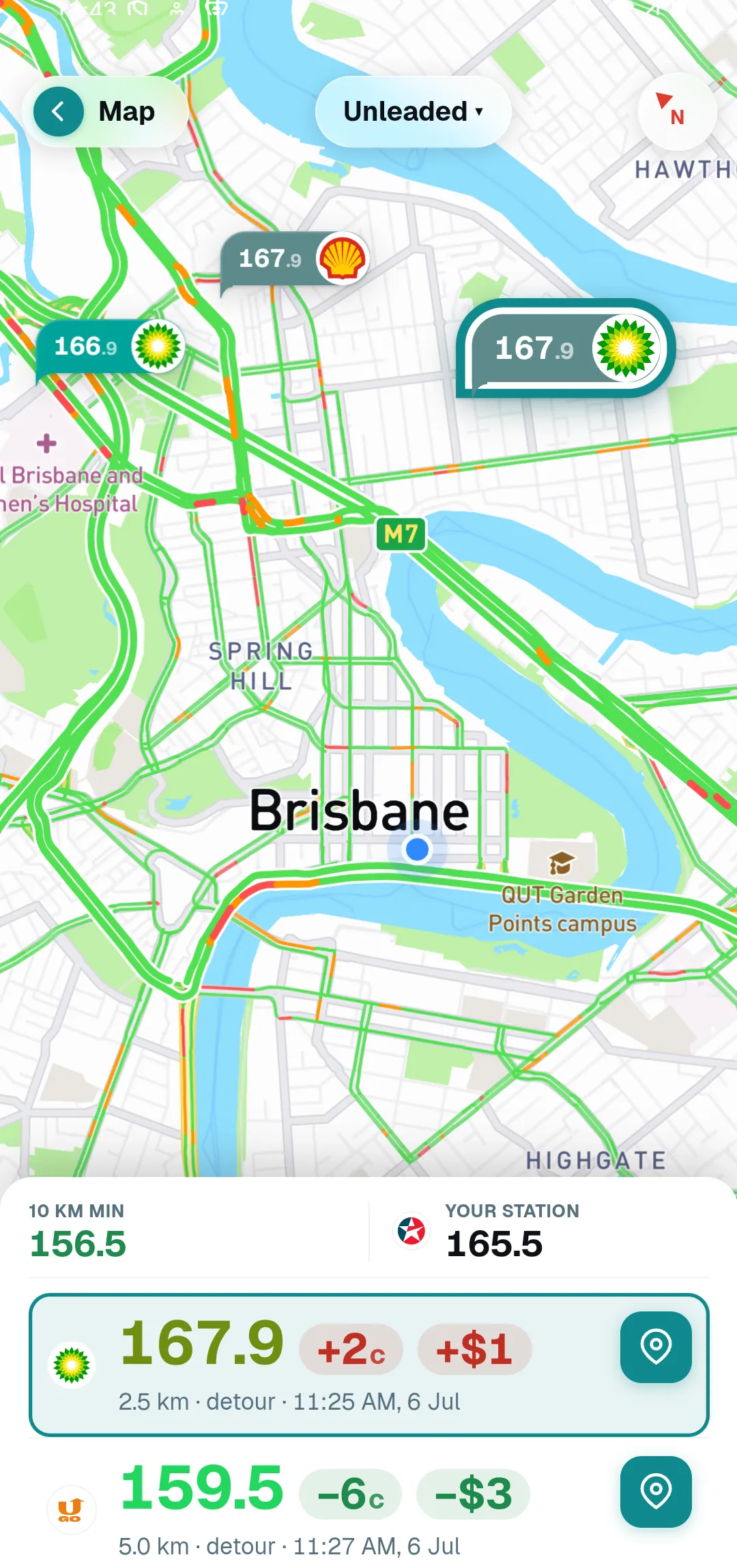
Tap a station and Ahead frames it on the map, so you can head straight for it.
Pinly Fill helps you find the cheapest petrol and diesel near you — in Brisbane and right across Queensland — using live prices from the official government feed.
Fuel is one of the few big weekly costs you can actually shop around on. Pinly does one job — helping you pay less at the pump — and keeps count so you do not have to. Prices come straight from the Queensland government feed. Open it before your next fill and see for yourself.
Ready in seconds — it installs straight to your home screen, no app store needed. Queensland for now.
On your phone, open it and tap Add to Home Screen — in Safari on iPhone (the Share button), or the ⋮ menu in Chrome on Android. It runs just like an app, and updates itself.
Native apps coming soon